
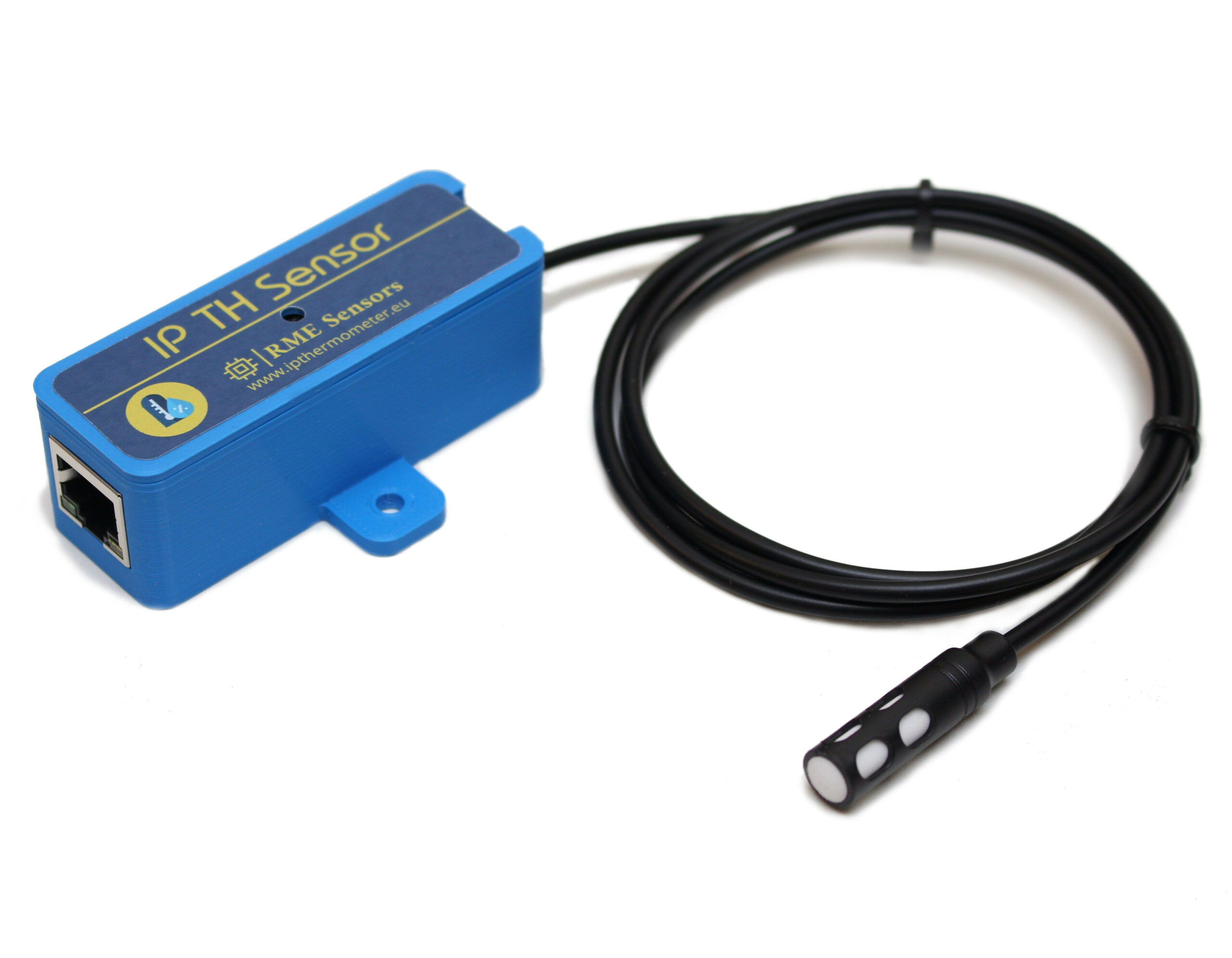
Ideal for server rooms, warehouses, greenhouses, offices, and other indoor spaces that require temperature and humidity monitoring.
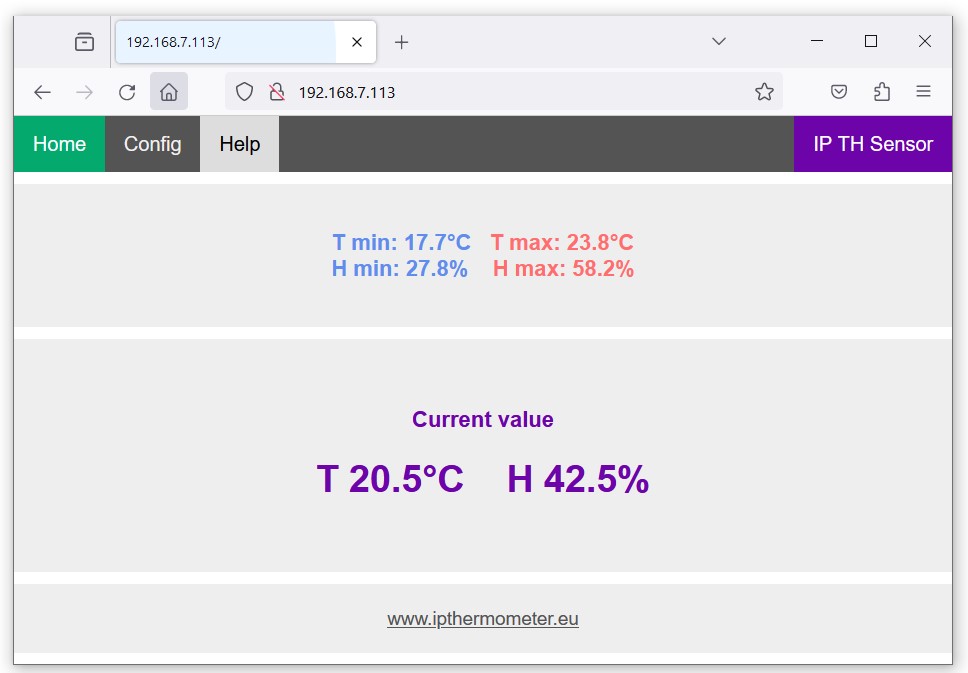
The sensor includes a built-in web server, allowing you to view data and configure all settings directly from your browser—no additional software, cloud services, or subscriptions required.
For data logging and alarms, it works seamlessly with PRTG, IFTTT, Zabbix, Home Assistant, and other monitoring platforms. It supports DHCP/Static IP, Min/Max tracking, and Celsius/Fahrenheit selection. Includes a 1 m USB power cable and a fixed 1 m probe cable.
Compatible with PoE Splitter
65,-€
Worldwide Shipping – €5
- Description
- Downloads
- Integration & Configuration
IP Temperature Humidity Sensor Main features
- IP TH Sensor uses SHT30
- Fully calibrated, linearized, and temperature compensated digital output.
- Range -40°C to 125°C; 0 %RH to 100 %RH
- Accuracy ±0.3 °C (0°C – 65°C); ±3 %RH (10 %RH – 90 %RH)
- Woks with IFTTT, ZABBIX, PRTG Network monitor, Home Assistant and other software1
- Complete solution, no need any soldering, or additional parts (except USB power supply)
- Internal WEB server for viewing and configuration. The configuration is password protected
- DHCP or Static IP (DHCP by default)
- Temperature and Humidity Min-Max readings
- Fahrenheit / Celcius selectable
- 10Base-T Ethernet Controller Fully Compatible with 10/100/1000Base-T Networks
- Very easy integrate with other software
- About 1m probe cable
- Not related on any external services like Sonoff and can work in local network without an internet.
- The package includes a 1 m USB cable for powering the device
Options for reading data form IP TH Sensor
Web Page
Enter the IP address of the device into the web browser and you can view the data on the website and configure the device parameters such as IP, password, etc. The web is optimized for both desktop and mobile devices.
Demo device online: http://ipthermometer.eu:9999
Json
Retrieve JSON data from http://[device_IP]/prtg to obtain temperature and humidity readings. The information is easily parseable and can be utilized for diverse purposes. PRTG Network Monitor directly supports this JSON format. Demo device online: http://ipthermometer.eu:9999/prtg
HTTP Get
Execute a simple HTTP GET request to http://[device_ip]/t for temperature data and http://[device_IP]/h for humidity data. Receive plain values without the need for parsing, ensuring easy integration.
Demo device online:
Temperature output: http://ipthermometer.eu:9999/t
Humidity output: http://ipthermometer.eu:9999/h
Send data to remote server
Data can be sent from device to a remote server by an HTTP GET request. Temperature and humidity are inserted into the request as parameters and data can be sent at intervals you define or when readings exceed the range you specified in the device configuration. IP TH Sensor supports IFTTT service via webhooks, empowering you to automate actions such as sending emails at predetermined intervals or when data reaches specific thresholds. Please note that HTTPS is not supported. For a detailed guide on IFTTT configuration, refer to our video at www.youtube.com/watch?v=gamfDzlGZM4
- IP TH sensor is fully compatible with IFTTT, but please note that we cannot guarantee or take responsibility if the service provider decides to change the API or discontinue the service, making the IP TH sensor no longer compatible with IFTTT. As far as we know, IFTTT has no such plans. ↩︎
IP Temperature Humidity Sensor User manual
Integrating with Home Assistant (HA)
1. Add the following code snippet to your configuration.yaml file:
sensor:
  - platform: rest
    name: Room Temperature
    resource: "http://your_sensor_ip/t"
    value_template: "{{ value }}"
    unit_of_measurement: "°C"
    scan_interval: 30  # update every 30 seconds

  - platform: rest
    name: Room Humidity
    resource: "http://your_sensor_ip/h"
    value_template: "{{ value }}"
    unit_of_measurement: "%"
    scan_interval: 30
2. Reload your Home Assistant configuration to apply the changes.
Once added, the thermometer will appear as a sensor in your list of entities. You can now use it in your dashboard cards, automations, or wherever you need the temperature data.
To help you get started, we’ve set up a demo device online. You can try it with your system:
Device main screen: http://ipthermometer.eu:8888/
Temperature data URL: http://ipthermometer.eu:8888/t